A Record the model can’t edit
Every Tool Call is written to rufous’ own Record: which tool ran, the path or command it was given, whether it landed, and its exit code. Writes that you declined go on the Record too.
A harness attuned to small-model quirks
rufous is an agent harness for 2B–12B models running on your own machine, either inside your editor or in its own web UI. While the model works, rufous keeps a Record of every Tool Call, one the model has no way of editing. Before a Turn ends, we hold the model’s report up against that Record. That is how we catch the file you named that never got written, the write you declined, and the refusal the model only half remembers.
curl -fsSL https://rufous.chat/install.sh | sh
rufous is in alpha. There is a single binary for macOS and Linux, and a zip for Windows. rufous is licensed under Apache-2.0, and you won’t need an account. Nothing about your usage is sent back to us.
The short of it, is that rufous is built around the limits of a small model. We have measured it on models between 2B and 12B parameters, and every run starts with a Prefill of about 1,250 tokens, i.e. the system prompt plus nine core tool schemas. Every Tool Call the model makes passes through the five Rings of the Safety Gate before it touches your system. When a Turn ends with something missing, rufous places one Hold on the reply at most, and an honest “I couldn’t” always passes.
How it checks
Give a 4B model one clear instruction and it will usually carry it out. Three Turns into a conversation however, it turns out that it often does something close to what you asked, and then reports success. This is because a small model follows the most recent text in front of it, not the state of your files. rufous can’t make the model remember. What it can do is check.
Every Tool Call is written to rufous’ own Record: which tool ran, the path or command it was given, whether it landed, and its exit code. Writes that you declined go on the Record too.
From your instruction we work out which files you named with a write in mind, and where they should live. This is done with plain rules rather than a second model. The rules are tested against a labelled set, so that every change to them is measured.
Did the model name a file it never wrote? Did it write the file in the wrong folder, or write the one you declined under another name? If so, the reply is held, along with a list of the paths that are missing.
A Hold tells the model what is missing, and fires at most once per Turn. An honest “I couldn’t, because…” always passes. rufous will never loop a Turn in order to force an answer out of the model.
What we have measured
We ran scripted conversations against two 4B models, qwen3.5:4b and gemma4:e4b, three to six times each. It should be noted that the samples are small and the numbers are early. The scripts, every run and the changelog are in the repository, should you want to check our work.
Four Turns that each build on the last (write a task list, tick one off, add a few more). This is the share of Turns that qwen3.5:4b gets right, before and after the checks. For gemma4:e4b it went from 0.58 to 0.83.
You deny a write, and then say “try again”. This is how often the model actually tries again. rufous presents the earlier refusal as a line from the Record, rather than as the model’s own words.
Ten Turns that each stand on their own, with every Turn appending a section to a report. Both models got every one of them right.
A rule set in the first Turn (“start every reply with OK”), and how well qwen3.5:4b keeps to it over five Turns. The improvement came once Turns stopped ending in a status report, and started ending in a reply.
Built for small models
A 3B model can’t read 20,000 tokens of instructions before it starts on your task. So rufous starts small, and lets the model reach for more only when the task calls for it.
Every run starts with a short system prompt and nine core tools, roughly 1,250 tokens in all. That is the whole of it.
Web, memory and MCP tools are switched on by the model itself, through enable_tools. Skills are listed by name and only loaded when used. A SYSTEM.md or AGENTS.md in the working folder adds per-folder instructions.
The safety gate
Every Tool Call passes through five Rings, and each Ring has one job. When you’re at the keyboard, rufous asks you. When you’re not, it refuses.
Where it runs
rufous is a single binary, and there are a few ways to put it to work. Let’s go through them.
A local web UI with your sessions, every Tool Call and its step time, permission cards inline in the conversation, a live plan, and the files the model touched.
The same interface in a window of its own, with voice input transcribed on your device. This is still in development. The alpha ships the web UI, the terminal and the editor agent.
Chat interactively, or hand it a task file and let it run unattended. If something isn’t working, rufous doctor checks your setup.
rufous speaks the Agent Client Protocol, so Zed can run it as its agent, with diffs, a live plan, and the Safety Gate showing up as the editor’s own permission dialog. Other ACP clients should work, but at the time of writing Zed is the one we test against.
$ rufous doctor
  offline mode : false
  engine       : Ollama · http://127.0.0.1:11434
  models       : 6
$ rufous run qwen3.5:4b task.md ~/code/billing
$ rufous acp --model qwen3.5:4b   # your editor's agent, over stdio
rufous talks to Ollama, LM Studio, llama-server or any OpenAI-compatible endpoint. For a hard task you can switch to a cloud provider, and switch back again afterwards. Each model family also gets a profile, which tunes its settings so that it behaves.
Offline mode turns the cloud provider, the web tools and remote MCP servers off.
Do note that Offline mode does not stop a command run through run_bash from reaching the network. It switches off rufous’ own network tools, not your shell’s.
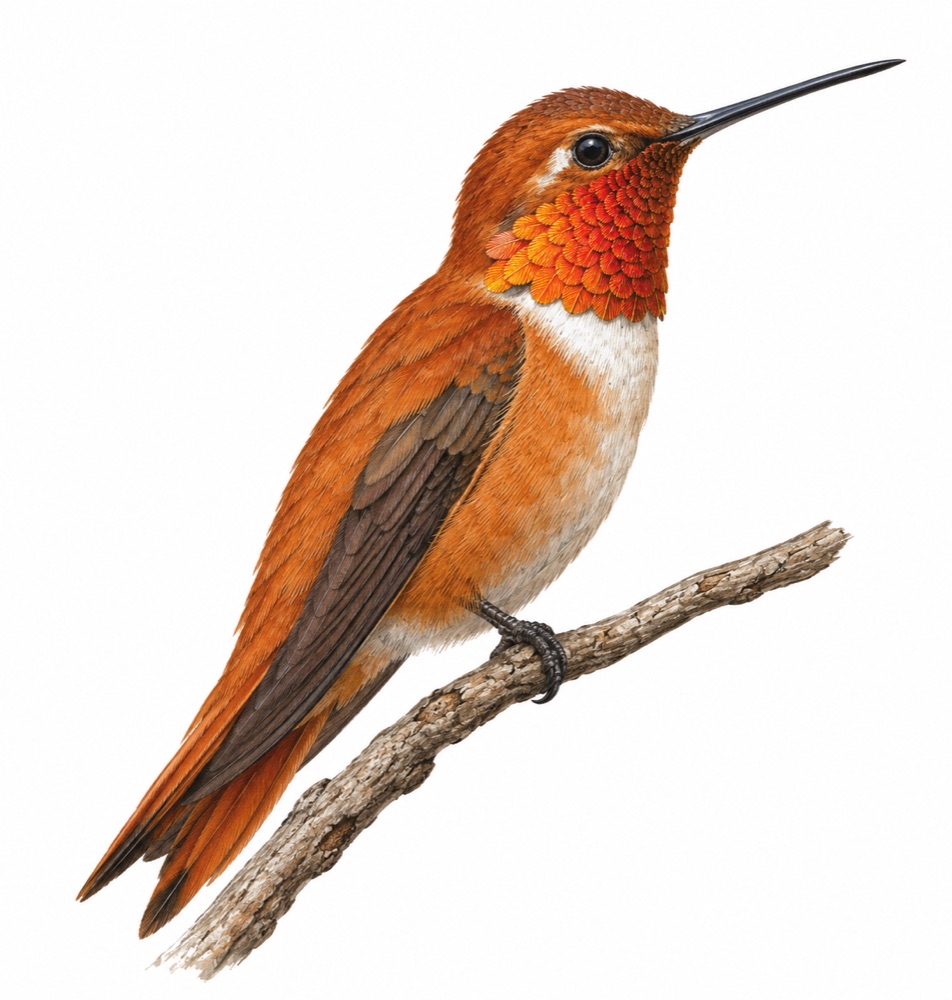
Why a hummingbird
The rufous hummingbird weighs about three grams, and yet it makes one of the longest migrations of any bird for its size, from Mexico to Alaska and back again every year. It is my belief that small does not have to mean limited, and that is the bet rufous makes on small models.
And yes, rufous means rust-coloured. It is written in Rust.
The choice of a bird is also a nod to the Mingbird paper.
One command downloads the rufous binary for your machine, verifies its SHA-256 checksum, and puts it in ~/.local/bin. There is no sudo and nothing to build. Then point it at a model you already run, and give it something to do.
If you don’t have a model yet, ollama pull qwen3.5:4b is a good place to start, and rufous doctor will tell you whether everything is in order.
curl -fsSL https://rufous.chat/install.sh | sh